
Ready in three steps
No accounts for the kids, no email addresses.
One parent sets things up — everything else runs on devices you pair once.
Create your family
Sign in with your email, type in the code, done. No password for anyone to forget.
Kids & devices
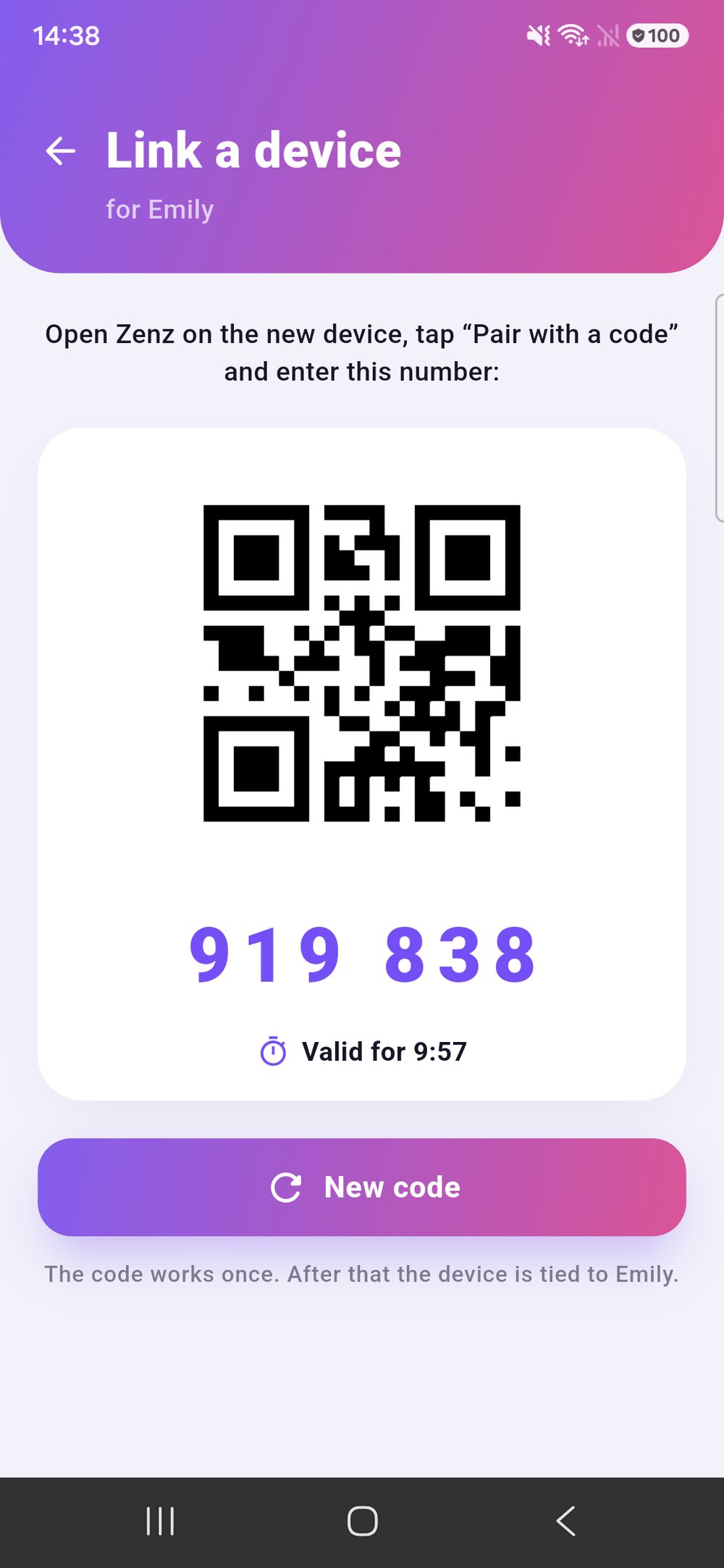
Create a profile per child, pair the device by QR code. Access is protected by a PIN.
Get going
Assign chores — one-off, recurring or as a weekly plan. You approve, points flow.
Features
Everything included. No tiers, no add-ons.
One subscription unlocks everything — for every child and every device.
Weekly plan
Chores appear automatically on set days — bins on Monday, vacuuming on Friday.
Chore rota
A chore moves from child to child in turn. “Whose turn is it?” answers itself.
Photo proof
Kids attach a picture. You see it when approving — and later on, too.
Rewards & wishes
You decide what things cost in points. Kids can suggest their own.
Bonus & penalty points
Good marks, helped without being asked — or take some off. One tap is enough.
Streak & goal
Days in a row, levels and a self-chosen goal keep motivation up.
Notifications
New chore, something waiting for approval, reward redeemed — straight to the phone.
Weekly overview
Who managed what, at a glance. No tally marks on the fridge.
Devices under control
See every paired device at any time and sign them out one by one.
Home
The one screen that answers the question.
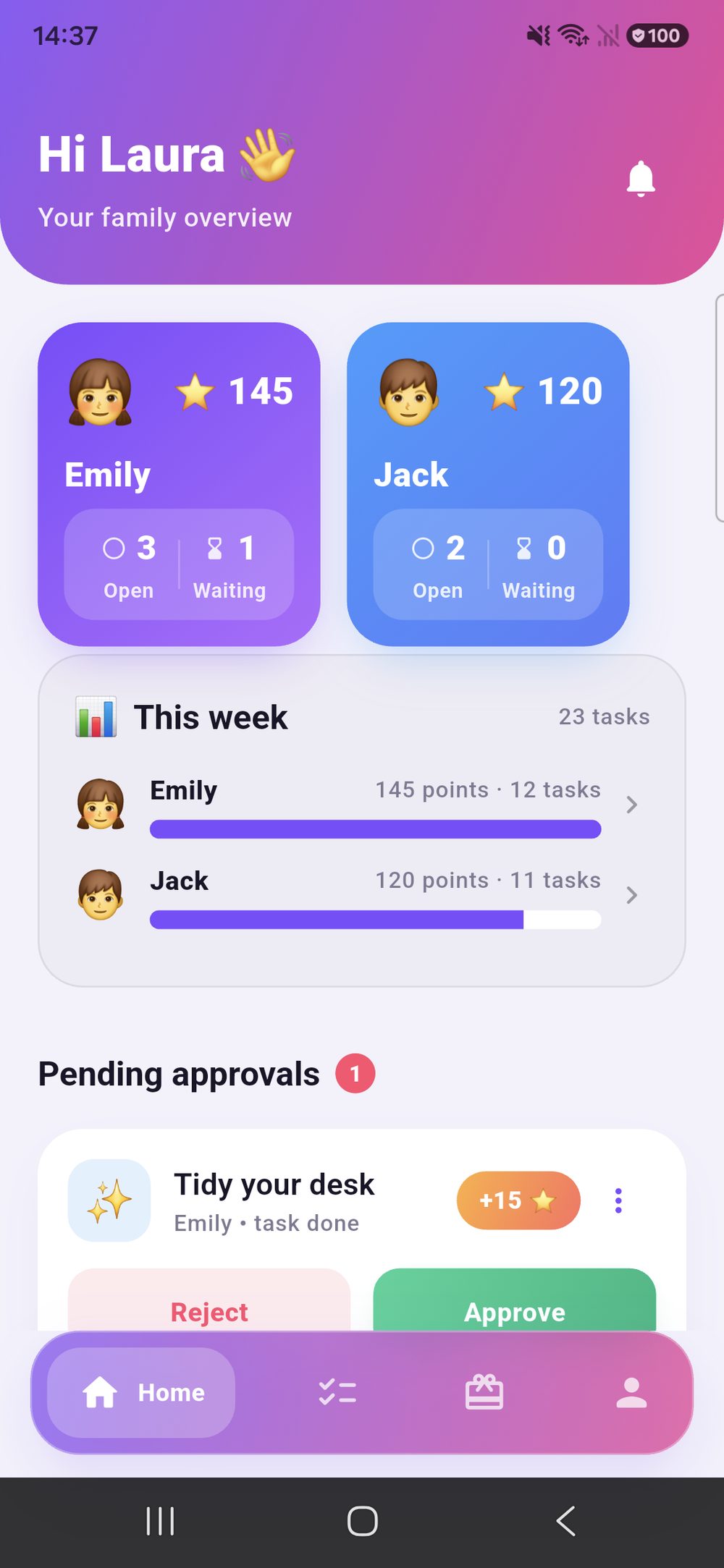
Who stands where, what happened this week, what is waiting for you — on one screen, no menu hunting.
- A tile per child Points and open chores visible at once.
- This week shows who got how much done. Nobody has to keep count.
- Waiting for approval at the bottom, with photo proof. Reject or approve, done.
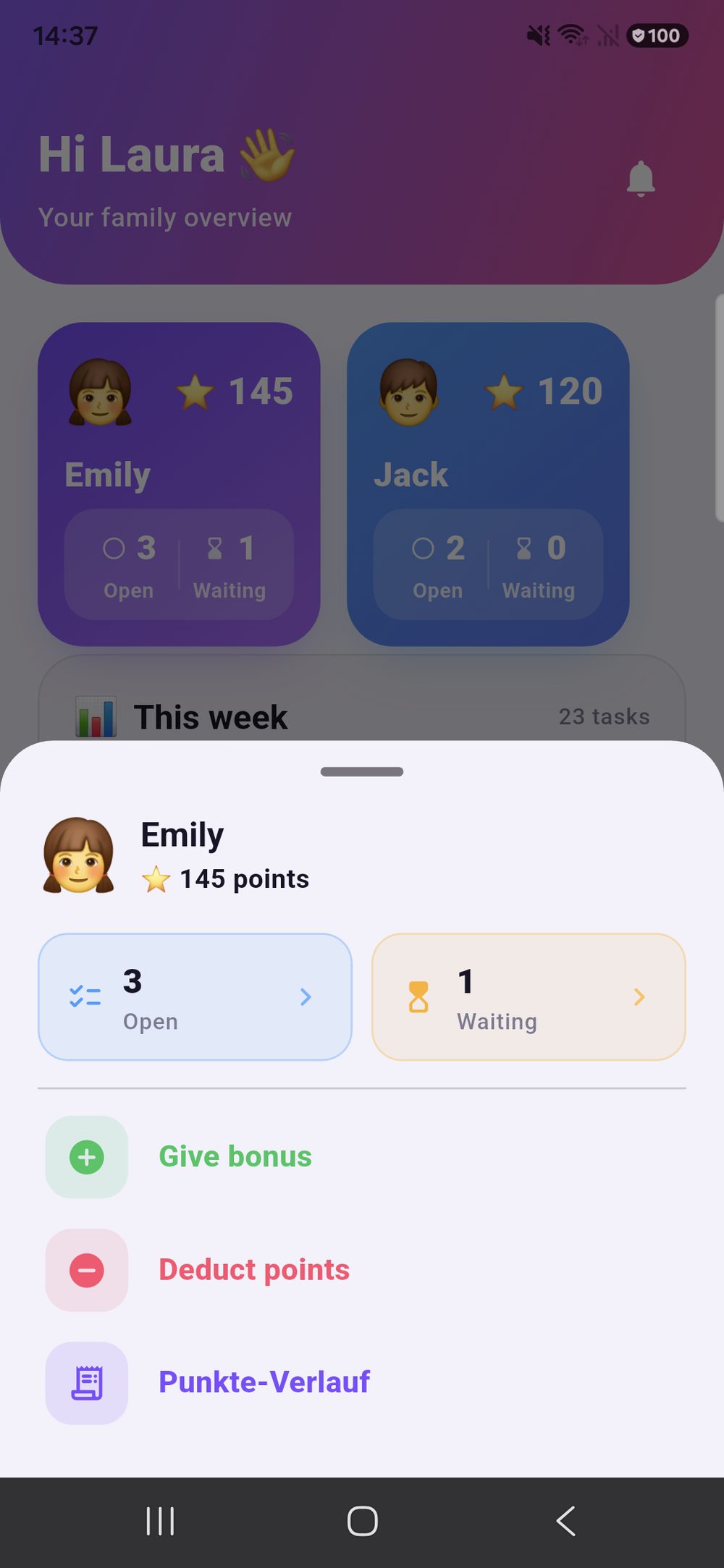
- Quick actions per child One tap on the tile: open chores, what is waiting for approval, give a bonus, deduct points — without leaving the overview.
Chores
Assign, filter, approve.
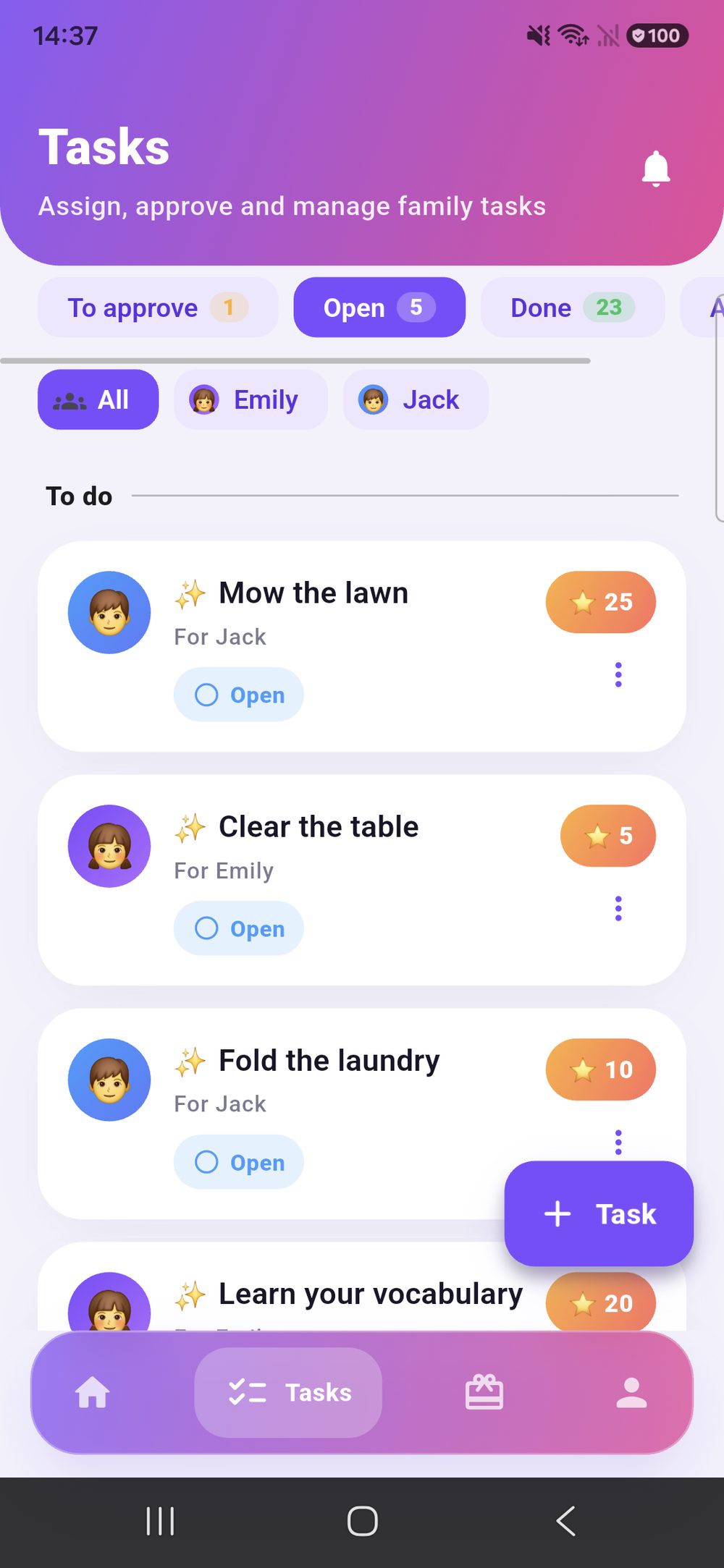
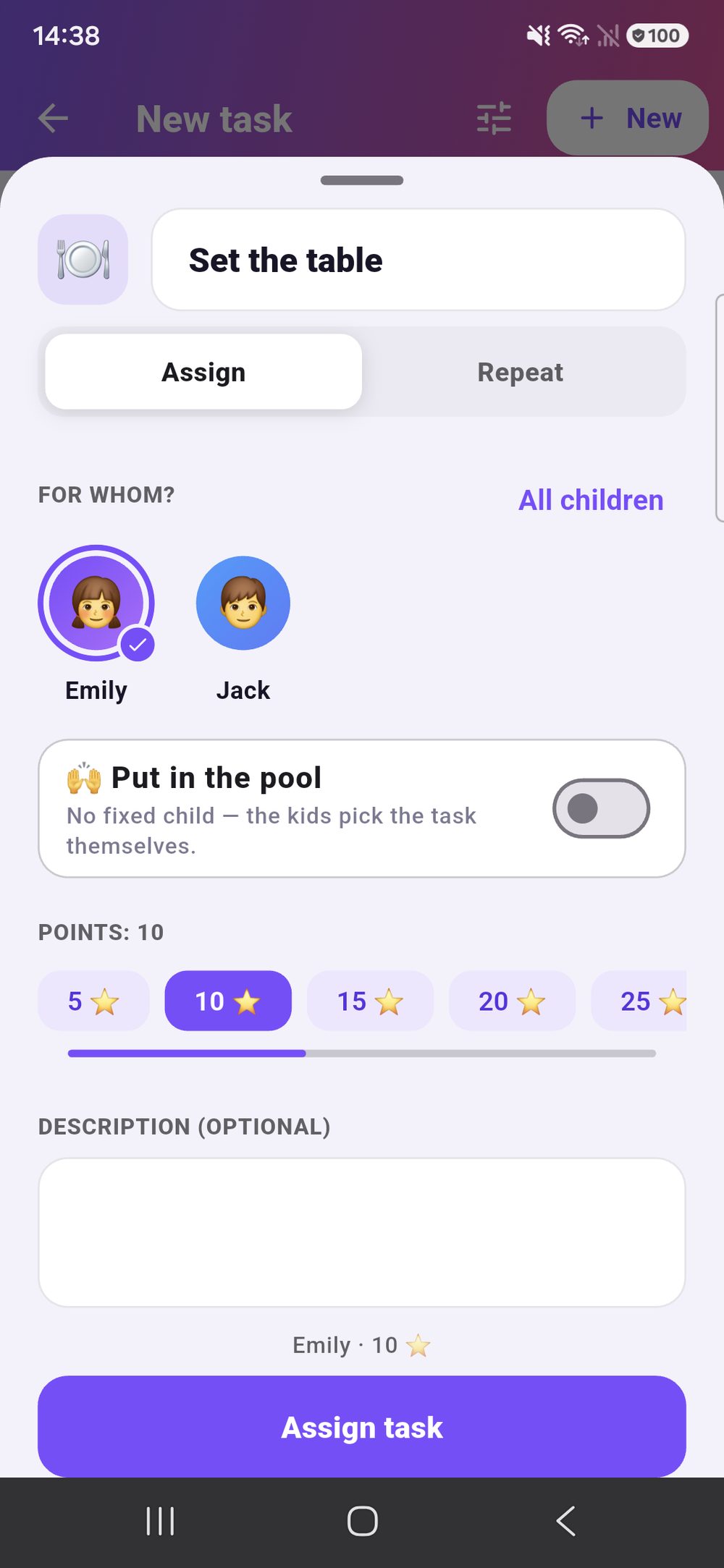
Every chore in the family in one place — one-off, recurring or as a weekly plan.
- Three tabs “For approval”, “Open”, “Done”. You see first what is waiting.
- Filter by child With several kids you find the right one straight away.
- Points per chore You decide yourselves what is worth what.
- One chore, several children Tick them in the same form — each gets their own, or the chore takes turns.
Rewards
Points turn into something real.
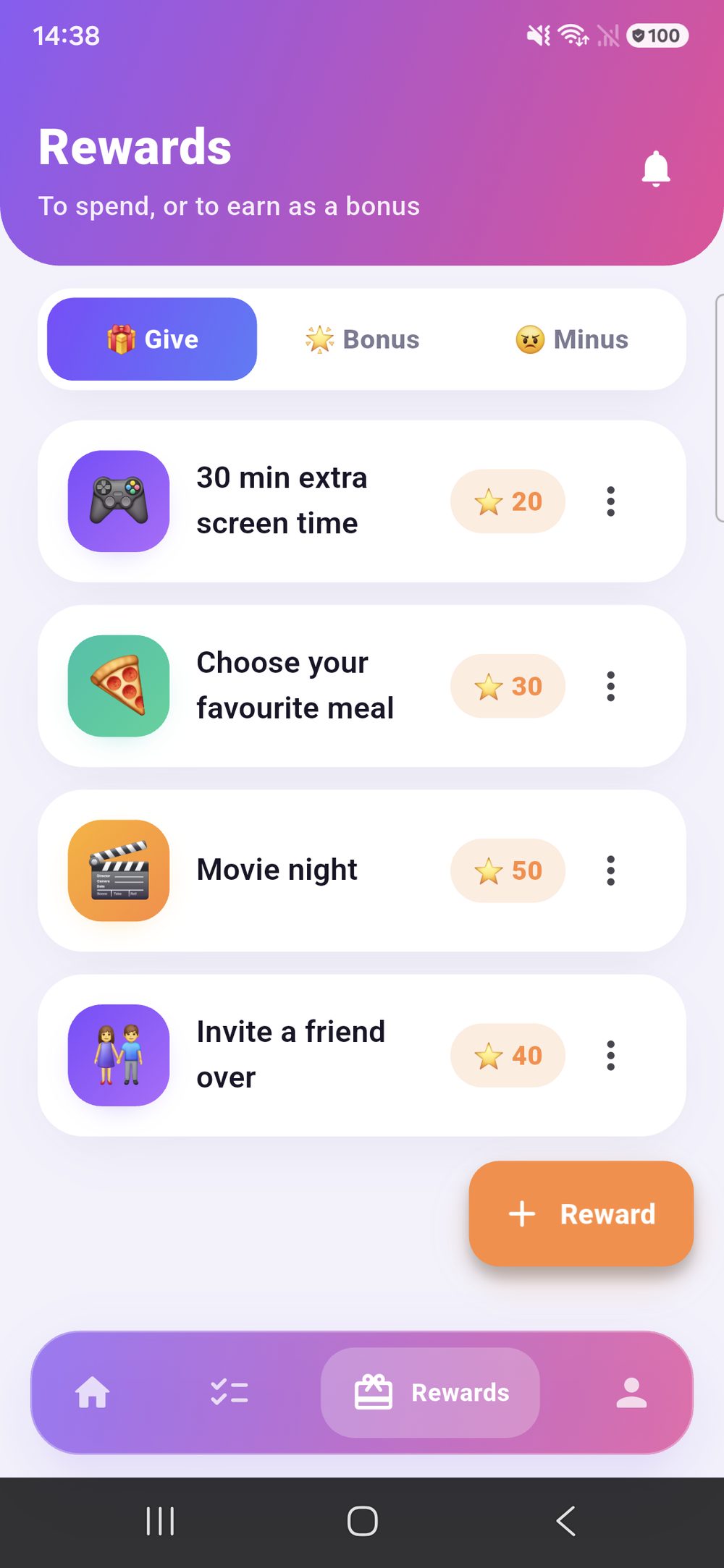
Movie night, favourite meal, half an hour longer on the console — you decide as a family what counts.
- Give, bonus, penalty Hand out rewards, credit points on the spot or take some off.
- Your own prices Every reward gets its point value.
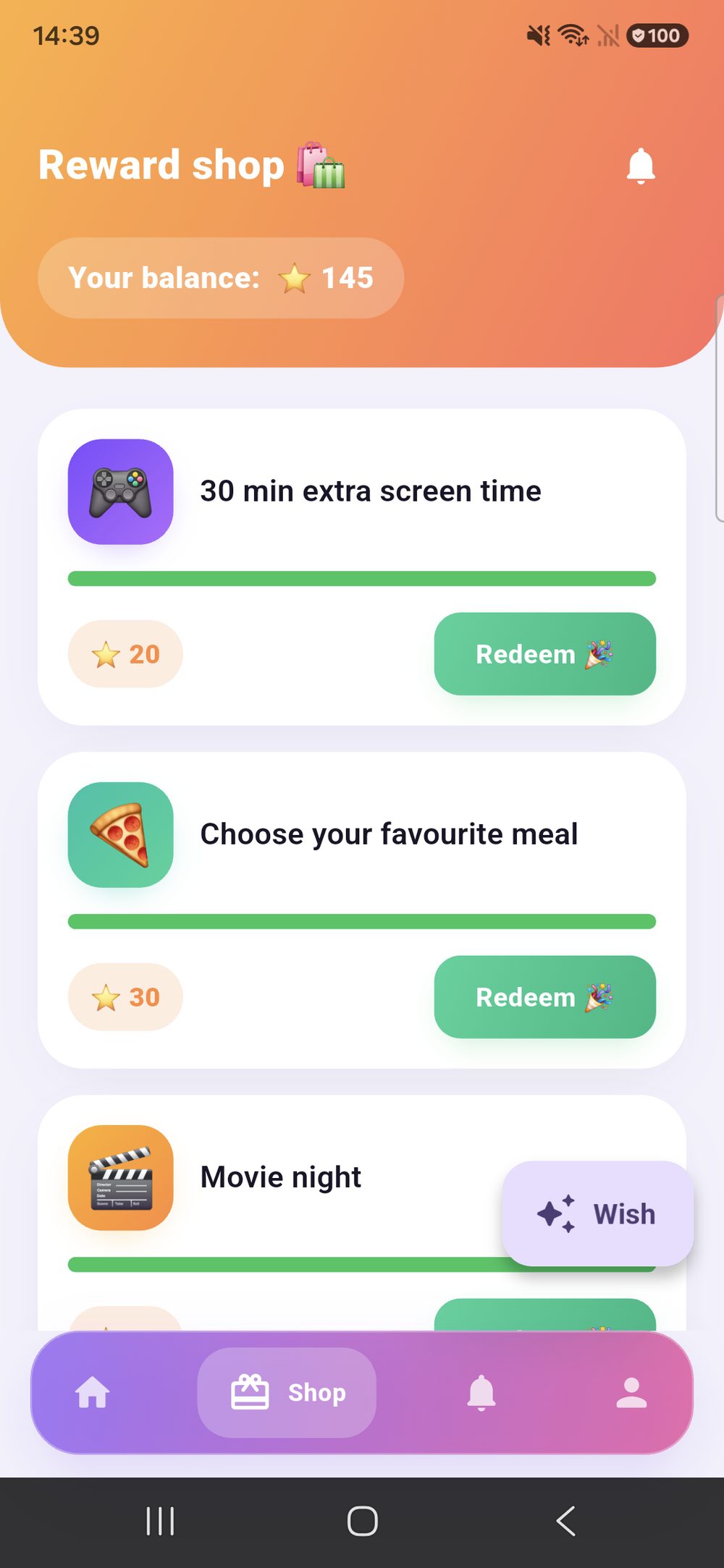
- A reward shop for the child Its balance at the top, every reward with a price and a bar — green means: enough.
- Wishes from the child It suggests something itself — with a name and a price in points. You approve or decline.
- Goal The child sees how far there is to go.
The child’s view
Not a chore list. A score.
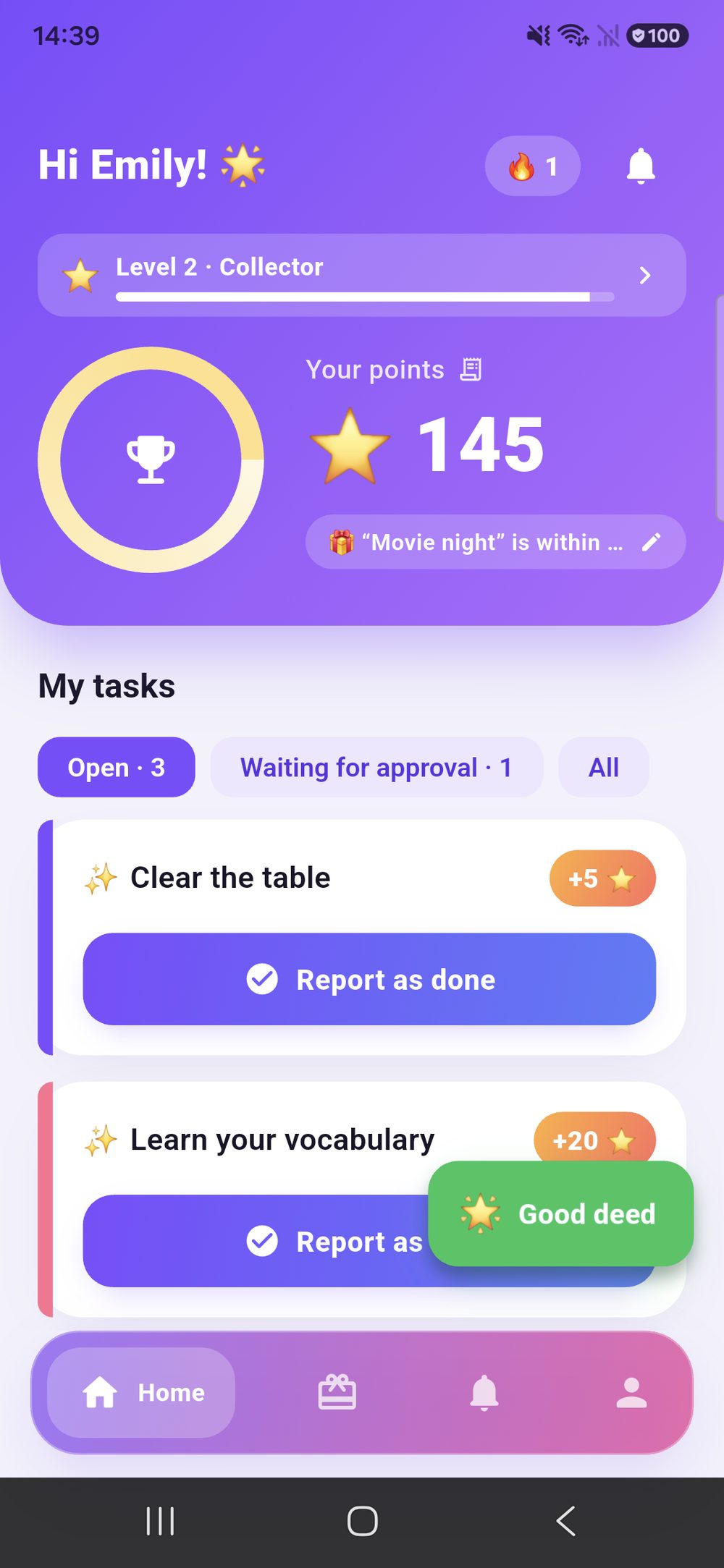
The child opens Zenz and first sees itself: points, level, the next badge. The chores sit below — each with exactly one button.
- Their own score first Points, level and how far it is to the next one — large, not buried in a table.
- One button per chore “Mark as done”, and that’s it. No form, no follow-up question.
- The savings goal on top As soon as the points are enough it says “Movie night is yours!”.
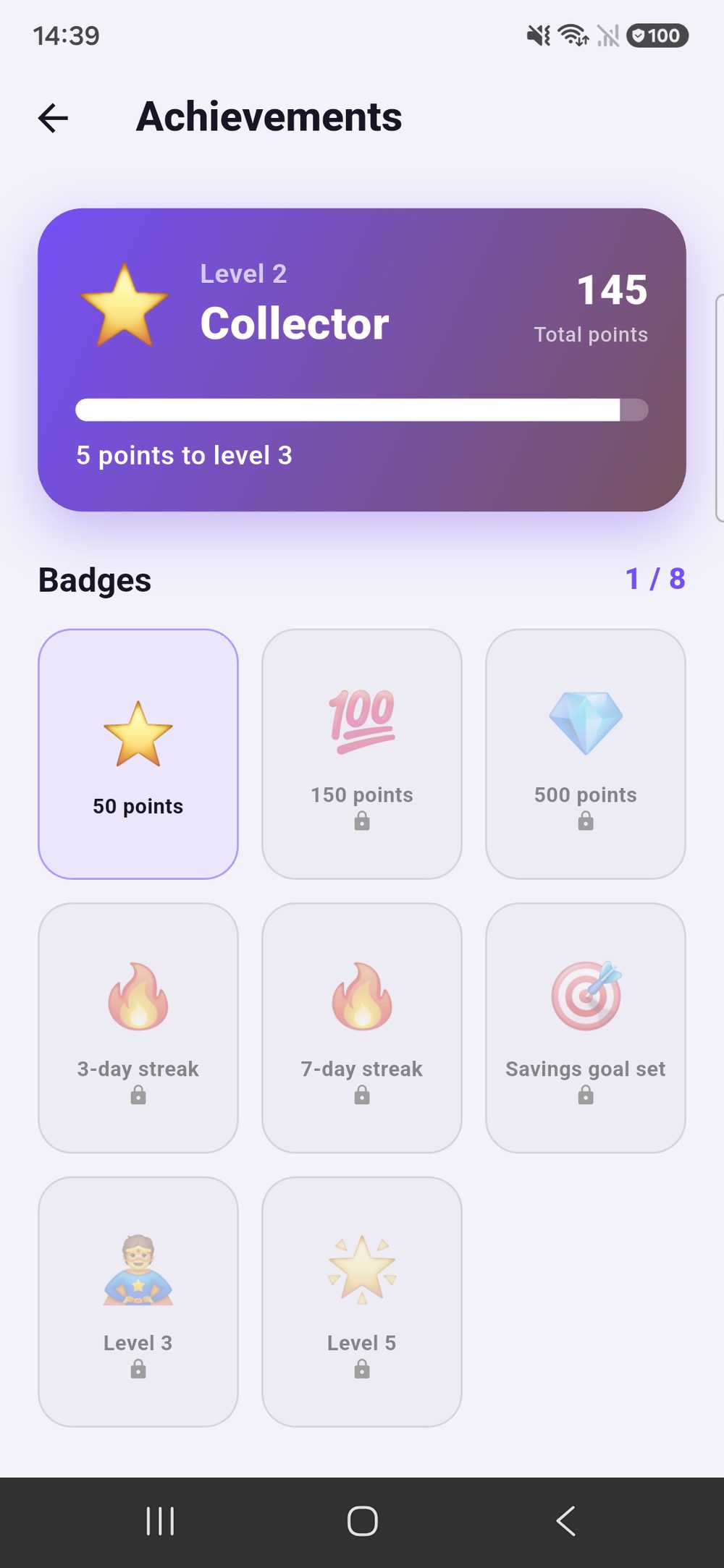
- Badges to collect Streaks, point marks, savings goals set — and you can see what is still missing.
Access
No accounts for the kids.
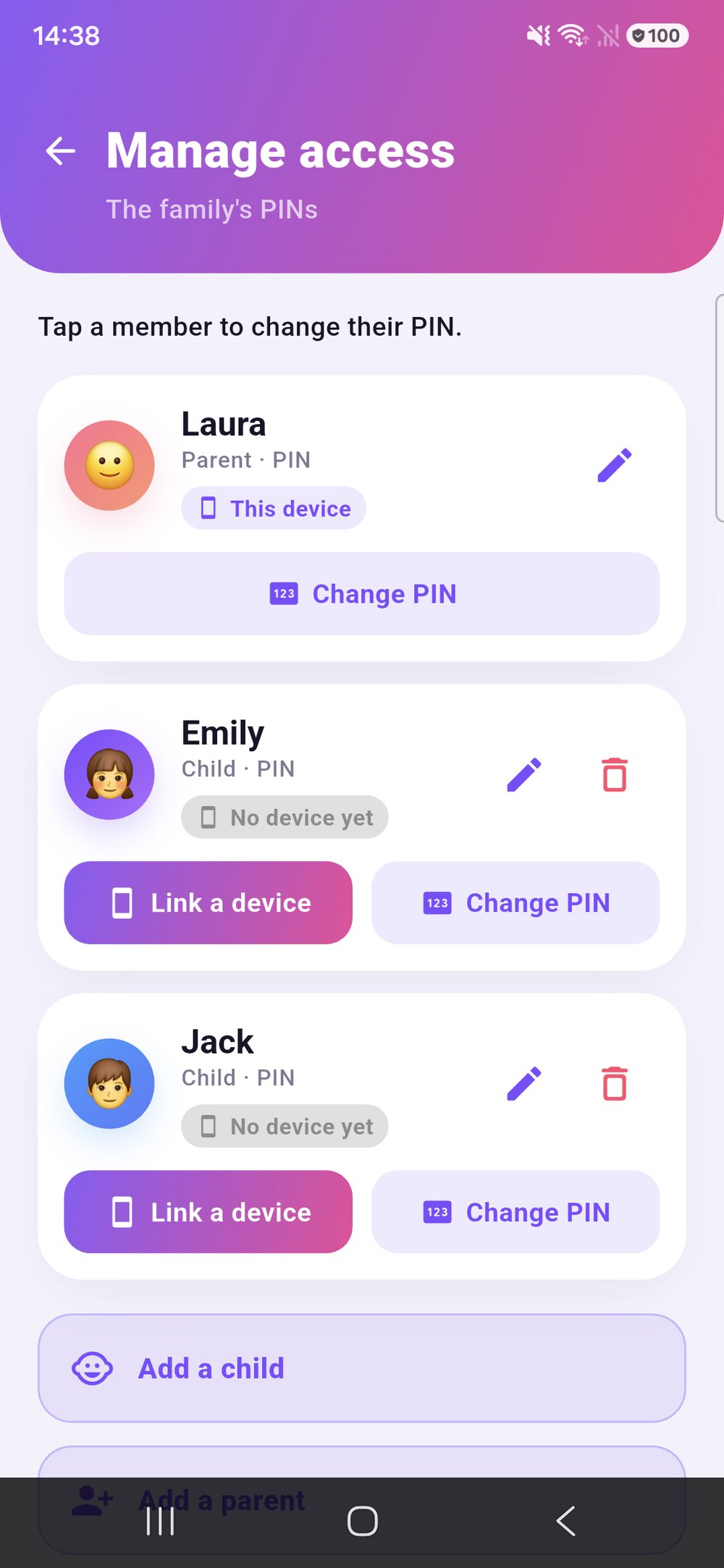
Kids need no email and no password. You pair devices once — and can withdraw access at any time.
- Paired devices Every child device in view, revocable one by one.
- PINs instead of passwords Every family member has their own PIN.
- Dark mode Sounds and celebration effects can be switched off.
The part that pulls
What is worth saving for — you decide.
You set the rewards and their prices yourselves. These come ready from the start.
Voices from the family
The nagging stops.
The chores are not the problem — the reminding is. Zenz family takes exactly that off your hands: everyone sees what is due, finished work comes back with a photo for approval, and points turn into rewards you set yourselves.
“Sunday evening used to mean an argument. Now the phone says who does what — and it is usually done before I even ask.”
“I can see exactly how far I still am from movie night. That’s why I do things without being told now.”
“The photo on completion put an end to ‘but I did do it’. One look, approved, done.”
“My daughter needs no email address and no password. That was my condition for starting at all.”
“When I do something good, Mum just gives me bonus points. That beats pocket money.”
“The rota moves on by itself. We don’t argue about whose turn it is any more.”
One subscription, whole family
Zenz family is a monthly subscription, cancel any time. You will find the current price in the store.
- All features — no tiers, no add-ons
- One parent pays, every device in the family is covered
- Manage and cancel in the App Store or Google Play